The template function in Speedy Claims is one of the ways to save yourself a lot of time and to reduce errors by prefilling many of the fields on the form.
Let’s get started by clicking on the Setup button in the left of the Speedy Claims window.
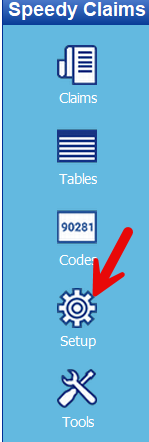
Then click on the Templates icon at the top of the Speedy Claims screen.
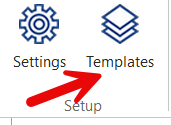
Before we go to the next screen shot I want to discuss what the template function does and does not do for you.
A template will prefill any of the fields on the CMS 1500 claim form for you. It is very useful when creating a claim for a new patient to your office.
You can create as many templates as you need. If you have a small office with one provider you probably only need one template. If you are a biller working for multiple providers in a clinic you might need one template for each provider. Templates are NOT for patient information.
Ok, so here is the top of the Create Template screen.
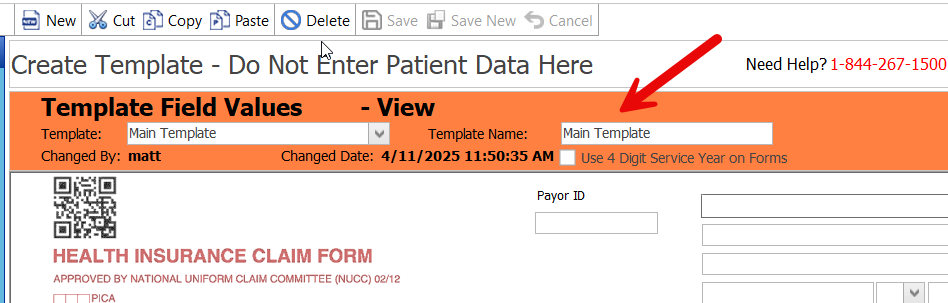
It is simply the CMS 1500 form with an information bar at the top. The first step is to name your template. If a single provider office it could be named “default” or with your name.
Then fill in the fields that will always be the same when you create a claim for a new patient. Typically fields you would fill in include:
Fields 12 and 13 with “Signature on File”

Field 25 Tax ID #
Field 27 Accept Assignment
Field 32 Facility Location
Field 33 Billing Provider info
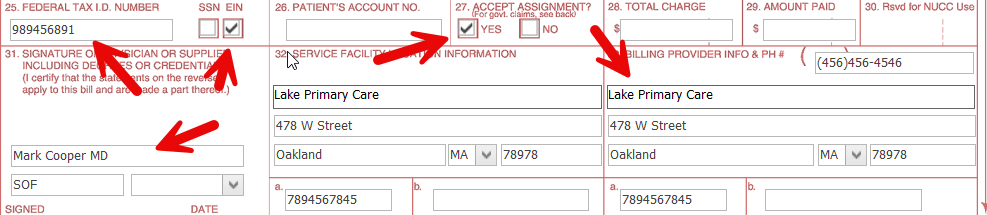
You can add any fields you wish. You can create a template for Medicare for instance. Or one for BCBS.
Once you are done filling in the fields click on the Save icon at the top of the Speedy Claims screen. Be sure you named the template before saving.
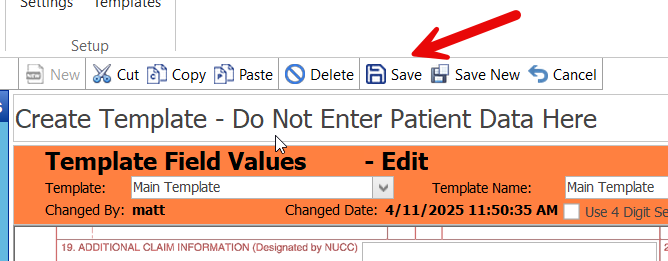
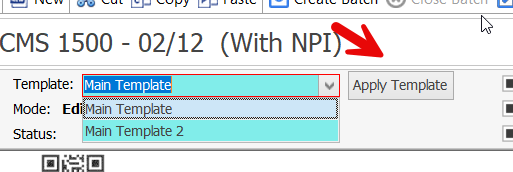
That’s all there is too it. From now on, when you open a new blank claim form you can choose your template and have all these fields prefilled for you.
Once created, you will see your template/s at the top left when creating your 1500 claim. Select the desired template and apply it to load into your new claim.