Creating a claim in Speedy Claims is as easy as filling in the blanks!
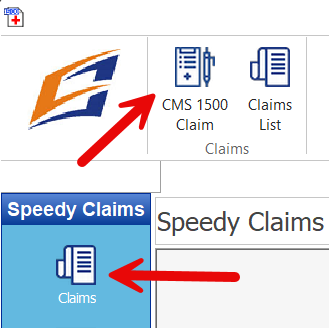
Let’s start by clicking on the Claims button on the left of the Speedy Claims window and then clicking on the CMS 1500 Claim icon above.
This will open a blank CMS 1500 form on your screen. There is a gray tool/info bar at the top of the form. These bars:

- show you which form is active
- let you choose which template to use
- status of the claim
- let you set the size of the form on your screen
All of the fields you filled in the template will have your prefilled data in them already. You simply fill in the other fields and then click print and you are done.
All the data you entered will be saved in the database for future recall or reuse. The entire claim will be saved in the Claims List.
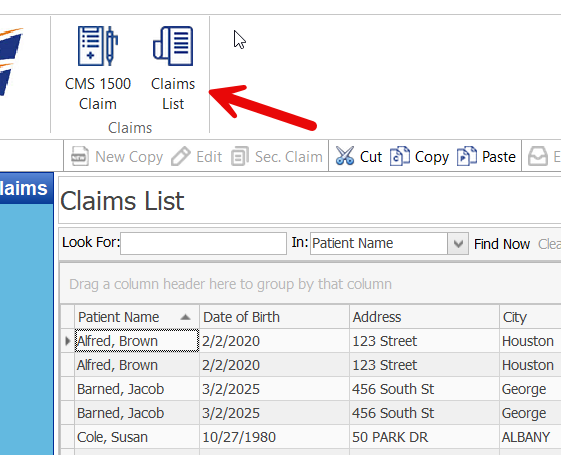
And also saved in various tables such as Patient, Provider, Insurance Company etc.

This will be a real time saver for you as you can now quickly and easily reuse this data in a new claim. For instance, open a new claim form on your screen and double click inside Field 2 (Patient Name) and the Patient Table shows up. Double click on the appropriate patient and all their information is automatically filled in for you!
This shortcut can be used for ANY of the tables in the software including:
- Insurance Carrier
- Patient – Field 2
- Facility – Field 32
- Billing Provider – Field 33
- Referring Provider – Field 17
- Rendering Provider – Field 24 J
- Diagnosis Codes – Field 21
- Procedure Codes including Fees – Fields 24D and 24F
Stay tuned! Our next tutorial will include more shortcuts and time saving tips!